Attention
High Fidelity is available as an open-source platform, and all content is forked and hosted according to the distribution requirements set out in the Apache License 2.0.
Bring Visitors to Your Domain
Now that you have a domain up and running, its time to invite people in to your domain and create your community in the virtual world. Here are some ways to bring more visitors in to your domain.
Invite Your Friends
Nothing is more inviting than a personal invitation to come check out an exciting, new place in the metaverse! Invite your friends with a personal message to visit your domain.
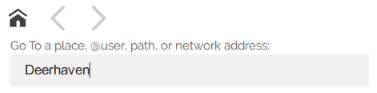
Share your domain by giving out its IP address or place name. Anyone with a High Fidelity account can enter the IP address or place name directly into the GoTo app to teleport directly to your domain.
Note
TIP: You can send other High Fidelity users clickable URLs that send them directly to your domain. Simply send them the URL https://hifi.place/<domain IP | place name>. When they click the link, they will be prompted to open Interface.exe and land at the spawn point in your domain.
Add Your Domain to the GoTo App
The GoTo app is designed to advertise public domains across the metaverse.
In order to be featured on High Fidelity’s GoTo app, your domain must have a purchased place name and it must be open to logged in users or everyone. This means that, in your Domain Settings, under ‘Standard Permissions’, either the ‘anonymous’ or ‘logged-in’ group must have the Connect permission.
To restrict access to your domain, you will need to create a blacklist of users without permission to connect to your domain. This can be set up by username, IP address, MAC address or machine fingerprint. We do not currently have a way to advertise your domain in the GoTo app, while restricting access to a specific guest list.
Promote Your Community Event with High Fidelity
To get your event or experience added to the calendar on our website and added as a Feature Card in GoTo, you can submit it to us by filling out this form.
Provided it is approved, it will be:
Added to High Fidelity’s Events Calendar
Promoted on High Fidelity’s social channels
Advertised in the Featured section of the GoTo app
Blast to Connections
If you want to let all of your High Fidelity colleagues know about something that’s happening right now, you can blast an announcement to all of your connections. Within about a minute, all of your interested connections and friends will get notified whenever they come online.
To send a blast notification:
Take a snapshot of your domain.
In Interface, pull up your Tablet or HUD and go to Snap.
In the Snapshot app, press the large red circle to capture a snapshot.
Choose to ‘Share: Blast to Connections’.
When a friend or connection clicks on the notification, it will open the GoTo app with your snapshot available. Clicking on the snapshot will take them directly to the place where the picture was taken within the metaverse.